
.svg)


Secure
Equipped with VPN and KeyBCA for layered transaction protection

Practical
Access various banking transaction with laptop or handphone

Convenient
Convenient business transaction with user friendly interface
KlikBCA Bisnis
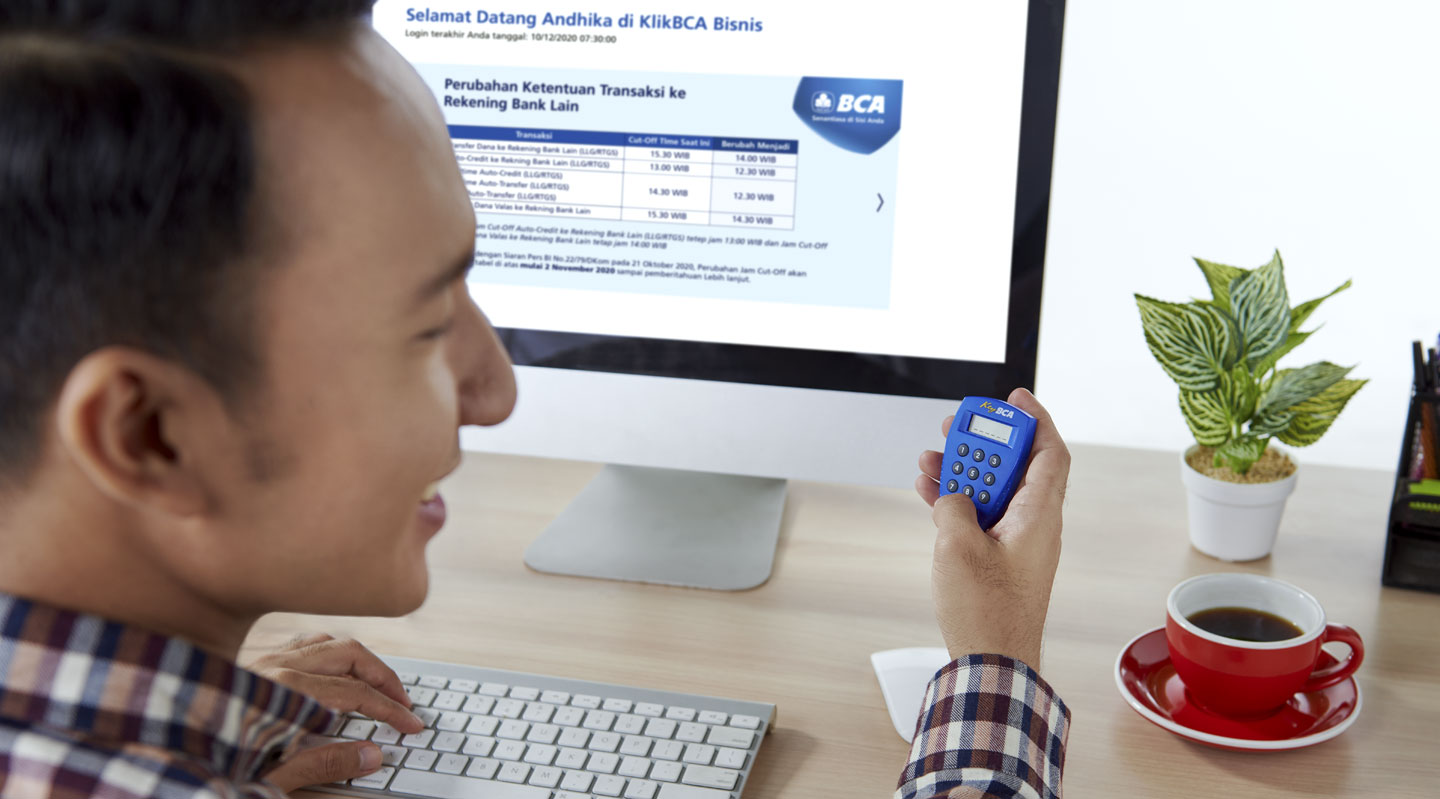
KlikBCA Bisnis (KBB) is an internet banking service that can be used on various devices to conduct transactions, authorizations, status checks, and other cash management needs.
Key Features 
KBB provides features that can be selected based on business customers' preferences and needs to facilitate online banking transactions.
- Standard Features are features customers can select and that are automatically included when the KBB application is approved.
- Account Information
- Balance Information
Balance information on accounts that have been registered with KBB. - Account Statement
Information for each account statement registered with KBB. Statements are available daily or monthly, with monthly statements offering a choice between last month and two months ago. Statements can be downloaded immediately for multiple accounts in either HTML or CSV format. - Bulk Account Statement
Account statement information for customers whose accounts have a high transaction frequency can be downloaded as TXT or CSV files. - Bank Statement
Bank statement information from operational accounts that have been registered with KBB. The bank statement can be downloaded as an HTML or CSV file. - Customer Portfolio Report
A monthly or annual report that summarizes and details the account portfolio associated with the Customer Identification Number (CIN) of the customer's main account at KBB. This report can be downloaded by the customer. - BCA Debit Report
BCA debit transaction information and settlement transaction details for each merchant ID registered by KBB customers. - Credit Card Report
Information on credit card transactions made at BCA's Electronic Data Capture (EDC) machine, available for download in HTML or CSV format. This information can be accessed only by KBB customers who are also BCA merchants and have registered their merchant ID. - BCA Credit Card Transactions
Information on all BCA credit card transactions for customers registered with KBB that have not been included in the customer's billing cycle. - BCA Credit Card Bills
Information on all BCA credit card bills registered with KBB. This information can be downloaded as a PDF file. - Payment Report
Payment transaction information received by the customer through electronic banking products. This information can be accessed only by KBB customers who are cooperating with BCA for bill payments through BCA's electronic banking products and have registered an account number that serves as the payee account. Payment reports can be downloaded in HTML or CSV format. - e-Statement
Monthly account statements provided to customers in soft copy. e-Statement is valid only for accounts registered as operational accounts and for accounts with inquiry access at KBB. - Business Assistant
The feature allows KBB customers to manage their selection of Corporate Partners that have collaborated with BCA and the types of features they offer. By registering for BCA's Business Assistant services on the Company's Partner application/website, KBB customers who are Company Partners' customers can make transactions through the Company Partner's application/website and authorize transactions at their KBB using the menu of related transaction features.
- Balance Information
- Fund Transfer between BCA Accounts
- Fund transfer to your own accounts or to other customers' accounts at BCA. Funds transfer between BCA accounts at KBB can be made for the following currencies:
- IDR to IDR/SGD/USD/EUR/GBP/AUD/CNY/JPY/HKD
- USD to IDR/USD
- SGD to IDR/SGD
- EUR to IDR/EUR
- GBP to IDR/GBP
- AUD to IDR/AUD
- CNY to IDR/CNY
- JPY to IDR/JPY
- HKD to IDR/HKD
- The exchange rate used for foreign exchange fund transfer transactions between BCA accounts at KBB is the e-Rate in effect at the time of execution.
- Fund transfer to your own accounts or to other customers' accounts at BCA. Funds transfer between BCA accounts at KBB can be made for the following currencies:
- Interbank Rupiah Fund Transfer
Transfer funds in Rupiah (IDR) from a BCA account to other bank accounts in the country.Type of Service Service Hours LLG Release data maximum at 15.30 WIB, if you wish to have it processed on the same day RTGS Online (Switching/Host to Host) 24 hours every day BI-FAST - Foreign Exchange Transfer
- Outward Remittance (OR) in KBB refers to foreign exchange fund transfers from the source of BCA account funds, whether in Rupiah or foreign currency, to the recipient's bank at home or abroad. For foreign exchange funds, the account to which the funds are transferred must be in the same foreign currency. The types of Outward Remittance (OR) through KBB are as follows:
Types of Outward Remittance Remarks OR Value Today OR transactions in which the effective maturity date coincides with the transaction delivery date. OR value date today is capped with a limit in the respective currency.
OR Non-Value Today OR transactions in which the effective maturity date does not coincide with the transaction delivery date. - The following are the currencies available for OR at KBB, along with their transaction service times on every working day. Customers who make OR transactions at KBB outside the service hours below will be rejected by KBB.
Currency Value Today Service Hours Non-Value Today Service Hours NZD 08.30-10.00 WIB 08.30-15.00 WIB AUD 08.30-10.30 WIB HKD, CNY, SAR, THB, MYR 08.30-12.00 WIB SGD 08.30-12.30 WIB USD, EUR, CAD, GBP, CHF, SEK, DKK, IDR 08.30-15.00 WIB JPY Not available
- Outward Remittance (OR) in KBB refers to foreign exchange fund transfers from the source of BCA account funds, whether in Rupiah or foreign currency, to the recipient's bank at home or abroad. For foreign exchange funds, the account to which the funds are transferred must be in the same foreign currency. The types of Outward Remittance (OR) through KBB are as follows:
- Bill Payment
Bill Payment is a feature to make bill payments to Company Partners in collaboration with BCA.Multi-bill payment is the payment of multiple bills in a single transaction, so customers do not need to make separate transactions.
Categories of Bill Payments that can be made at KBB include Insurance, BPJS, Internet, Credit Cards, Taxes, Education, Loans, Mutual Funds, Postpaid Mobile, Tickets, Transportation, TV Subscription, Utilities, Recharge Vouchers, and other categories. - Multi Transfer
- Multi Auto Transfer
Multi Auto Transfer is a feature that allows funds to be transferred from one or more source accounts to multiple destination accounts, including BCA accounts, BCA VA accounts, and other bank accounts in the country, by uploading files. - Payroll
Payroll is a transaction to pay the company's employees' salaries in Rupiah by transferring funds from the company's account to employees' accounts after uploading a Payroll file. Here is the time for uploading and processing the Payroll file.Types of Transaction Cut-off Time Payroll File Upload No later than 2 business days before the effective date Payroll Transaction Processing D-1 End of Day before the effective date. - Payroll Contingency
Payroll Contingency is used to upload payroll data on D-day if the payroll process fails on D-2. The process for uploading the Payroll Contingency file is similar to the process for uploading Auto-Credit transactions between BCA accounts. The currency that can be used for Payroll Contingency transactions is IDR. - Auto-Credit
Auto-Credit is a feature that enables crediting by uploading files. Auto-Credit is valid for transfers between BCA accounts and other bank accounts via LLG/RTGS. Auto-Credit transactions are processed in IDR with current account as the debit account. - Auto-Collection
Auto-Collection is a feature that debits a number of BCA accounts and credits one account by uploading files at KBB. Auto-Collection transactions are conducted in IDR. - Auto-Collection Contingency
Auto-Collection Contingency is an Auto-Collection transaction between BCA accounts that is processed centrally via the Beehive application as an alternative in the event of a disruption to the KlikBCA Bisnis (KBB) system.
- Multi Auto Transfer
- BPJS Payment
BPJS payment transactions at KBB include contributions to BPJS Kesehatan and BPJS Employment. The contribution code is obtained from the BPJS website.
Here are 2 types of BPJS Employment payments that can be made through KBB:Types Remarks BPJS Employment EPS It is an online payment service for the company's BPJS Employment by using the contribution code (12 digits). Payment amount as per the bill.
BPJS Employment Virtual Account (VA) It is a payment service for the company's BPJS Employment using a VA number (11 digits).
The payment amount is set by the Customer. - Tax Payment
The types of taxes that can be paid through the Bill Payment feature at KBB include Land and Building Tax (PBB), State Revenue Tax, and regional taxes such as hotel, entertainment, and parking taxes.
- Account Information
- Special Features are features that customers can use if they apply to use them. For certain customers, applications to use Special Features require a recommendation from the branch. Here are the Special Features of KBB:
- Account Information
- MT-940 Report
Account statement information in MT940 format, obtained by downloading for the selected account number. The downloadable account statements are all KBB operational accounts. The duration of the downloadable account is 30 calendar days. Downloads can be done for multiple accounts at once. - Designated Account
Designated Account is a feature that registers the transfer destination account linked to the Beneficiary ID and a specific user group, ensuring that only the user group can credit funds to the account associated with the Beneficiary ID. The Beneficiary ID is a unique code created by the customer for each registered transfer destination account. Customers who use the Designated Account feature must include their Beneficiary ID when making fund-credit transactions. - Loan Information
A feature for customers who use KBB B2B to obtain loan account information, other than transactions conducted at branches, related to B2B services at KBB. It is used to conduct loan ceiling inquiries, view loan activities, and access loan repayment schedules for loan accounts registered for B2B transactions at KBB.
- MT-940 Report
- B2B e-Commerce
A feature for business customers to transfer funds for e-Commerce transactions that have been carried out by business customers within the Cooperation Company. - Pertamina's B2B
Feature for Pertamina customers to make online payments via Host-to-Host to Pertamina for the purchase of Pertamina products. Successful payment transactions will be forwarded to Pertamina's account, and customers can print a proof-of-payment receipt for purchases of Pertamina products. - Account Sweeping
A feature to arrange funds between accounts in the same currency, allowing customers to withdraw a set amount or automatically maintain a set account balance. Types of Account Sweeping include:- Sweep In
A transaction that transfers funds from one or more debit accounts to a single destination account. - Sweep Out
A transaction of transferring funds from one debit account to one or more destination accounts of a specified nominal amount. - Sweep Balance
A transaction of transferring funds from one or more debit accounts to one destination account to maintain the destination account balance at a certain nominal amount.
- Sweep In
- Account Information
- Multi Transaction
- Multi Payroll to Other Bank Accounts (LLG/RTGS)
Salary payment feature in IDR, where the recipient's account can be another bank account in the country that supports LLG/RTGS.
- Multi Payroll to Other Bank Accounts (LLG/RTGS)
- Loan Payment
Feature for KBB B2B users to make loan payments, other than those made at branches related to B2B services at KBB. Loan Payments are used to make payments, both those that have matured and those that have not. - Business Debit Card
The Business Debit Card is one of the features in KBB that functions as a means of managing Business Debit Card (BDC) cards, including adding, removing, or making arrangements related to BDC cards. - HEI
Host-to-Host ERP Integration (HEI) is a feature provided to KBB users in the O1-O3 segment, allowing customers to conduct banking transactions online and in real time from their Enterprise Resource Planning (ERP) system, with or without authorization from KBB. More information about HEI is available on the HEI product page. - J-Valas
A service provided to customers to conduct foreign exchange transactions online through KBB or other facilities designated by BCA. - myLPG
A feature provided to Pertamina Agents to arrange and monitor the sale of 3 Kg LPG gas cylinders to Substation (the buyer of 3 Kg LPG cylinders), related to the receipt of payment for the purchase of 3 Kg LPG cylinders at BCA. - Business Dashboard
The types of facilities available in each Business Dashboard feature:
Feature Function Monitoring Showing detailed status and daily transaction data of facilities owned by KBB customers in real-time. Export the facility transaction data in XLS and CSV formats. Report Download facility transaction report belongs to KBB Customers. Types of Facility Monitoring Report Virtual Account Y R-5401 Transaction Report via e-Banking & over the counter for the Partnering Companies OneKlik Y - Business Document
A feature for uploading documents related to transactions at KBB. The types of documents that can be uploaded through the Business Document feature include the underlying documents for foreign exchange buying and selling transactions and the supporting documents for OR transactions.
- Business Document
Benefits 
- Customers can make banking transactions online with BCA, 24/7.
- Transactions are safe and convenient because they can only be accessed through the secure network and by using KeyBCA in transactions. KBB owners can easily make online banking transactions via computer or mobile anywhere and anytime.
- The KlikBCA Bisnis service offers various features designed to meet every customer's business needs.
Risks
- Misuse of KBB includes the consequences of lost or stolen KeyBCA, Corporate ID, User ID, Verification Code, OTP Code, KeyBCA PIN, and KeyBCA Response being disclosed to other parties, as well as transaction data leakage caused by negligence on the part of the customer who owns KBB.
- The possibility of a network disruption that can prevent banking transactions through KlikBCA Bisnis from being carried out.
- Transactions cannot be processed if they exceed either the transaction time limit or the daily limit.
Requirements and Procedures
- Prospective customers who own KBB are corporate or organizational customers, individual businesses, banks, or remittance companies/non-bank fund transfer operators with accounts at BCA.
- Have one type of account serve as both the main account and the operational account, according to the information below.
Account Function Type of Account Main Used as a source of funds for KBB admin fee Giro Rupiah Tahapan Gold Tapres Tahapan Operational Used for operational transactions Giro Tahapan Gold Tapres BCA Dollar Tahapan Tahapan Xpresi Rekening Dana Nasabah (RDN) - KBB registration can be done through the nearest Branch/Corporate Branch Office by:
- Opening a business account if the customer does not have one at the branch.
- Fill out and sign the KBB Form and the KBB Terms of PT Bank Central Asia Tbk. (BCA).
- Register the account used as the main account and the operating account.
- Register credit cards issued by BCA for the Credit Card Report, Credit Card Transaction, and BCA Credit Card Billing features.
- Register users who can access KBB.
- Complete the necessary documents.
- KBB customers who choose Single Authorization grant KBB access rights to the owner/holder of the User ID, as listed in the KBB Form.
- KBB customers who choose Multi Authorization grant KBB access rights to Sysadmin1 and Sysadmin2 in accordance with the KBB Form for requesting another User ID registered in the application, given to KBB customers.
- Customers who own KBB can submit questions and complaints through:
- Halo BCA Bisnis by phone 1500998
- BCA Branch Offices